The Copilot answers questions about your clients and your firm in plain language. It looks up the records you're allowed to see, cites its sources and never changes anything, so you can use it to find information quickly without leaving Tickloft.
Ask a question
- Select Copilot in the main navigation.
- Type your question in the box, or pick one of the suggested questions.
- Press Enter or select Ask. Use Shift+Enter for a new line.
Questions can be in English or French. Select New to start a fresh conversation; earlier ones are listed under Conversations.
Read the answer and its sources
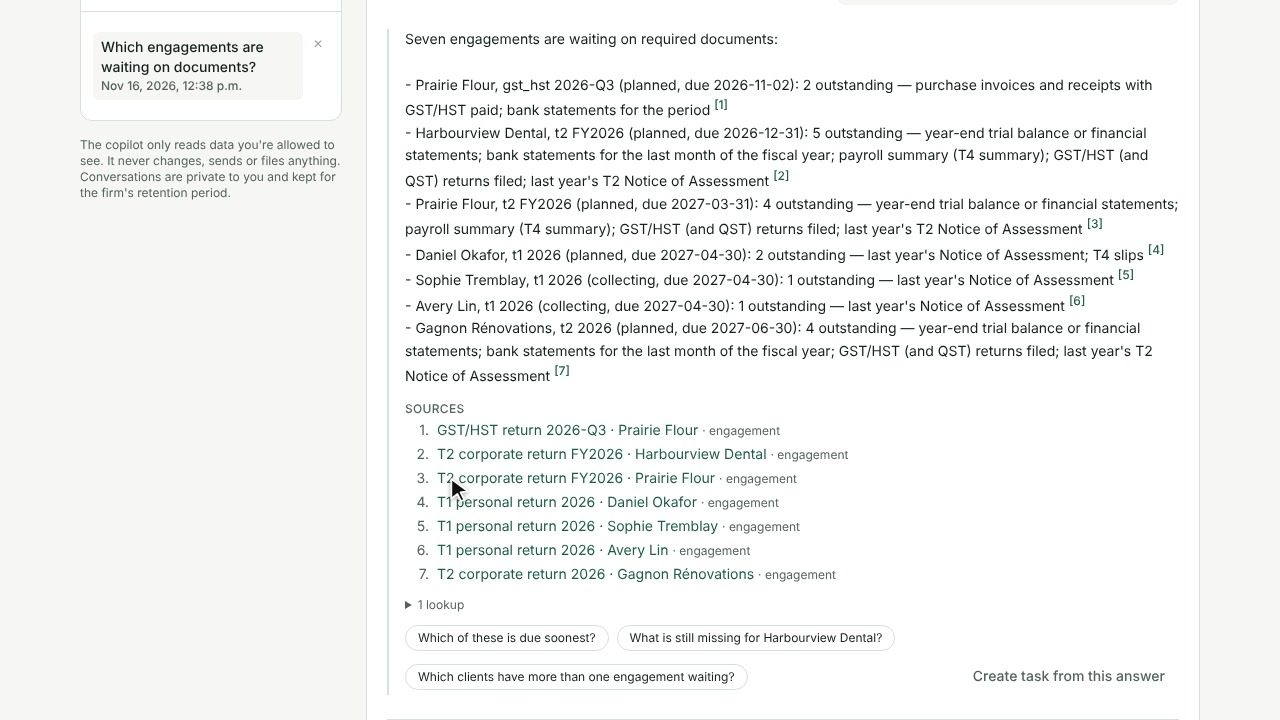
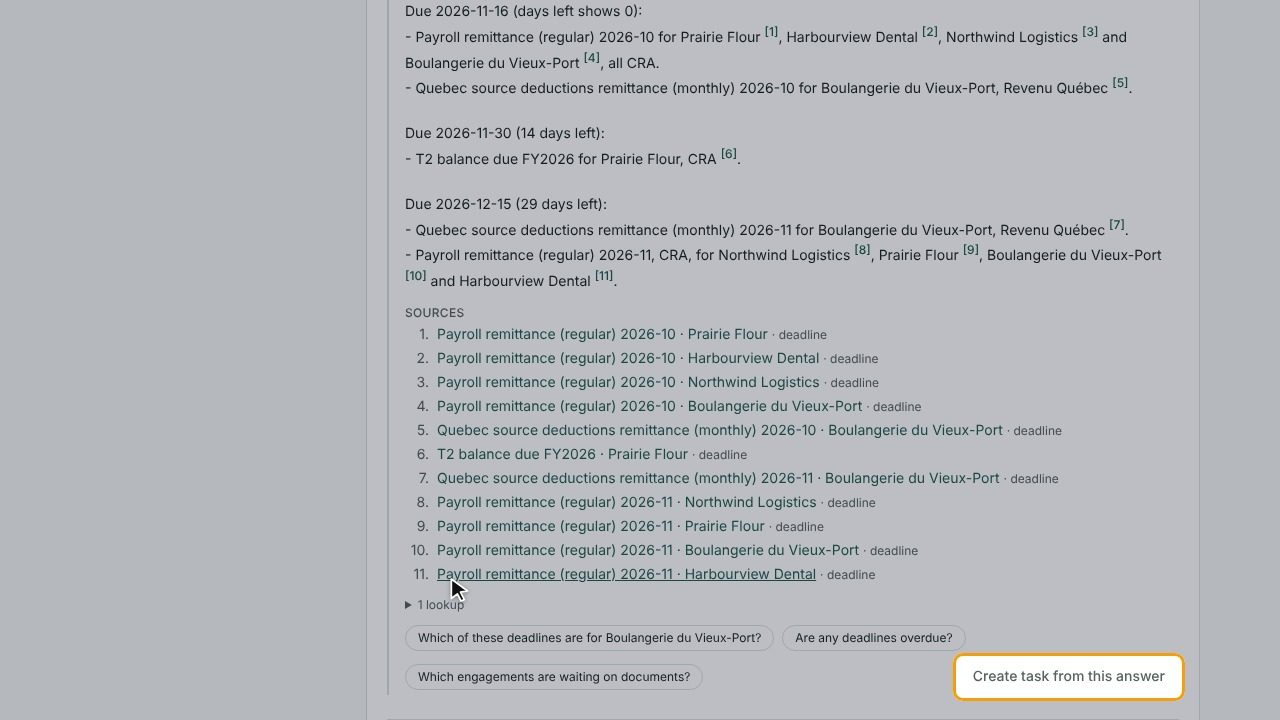
Each answer lists its Sources: the clients, engagements, tasks, review items, bank transactions, deadlines, documents or knowledge base articles it used. Open a source to check the details yourself.
The answer also shows how many lookups it made. Flags tell you when to be careful:
- No sources: the answer doesn't cite a source. Check it against the records.
- Checked against records: the wording used a number not found in the records, so the answer was rebuilt from the records only.
- No access: no client you can access matches that name.
- Suspicious content: a record contained text that tried to give instructions. It was treated as data only.
- Lookup limit reached: the answer may be incomplete. Try a narrower question.
Tip: Always check figures against the cited source before you rely on them in client work.
What the Copilot can and can't do
- It only reads data you're allowed to see. Restricted clients you aren't assigned to stay hidden.
- It never changes, sends or files anything. It can't approve review items, email clients or update the ledger.
- Your conversations are private to you and kept for the firm's retention period. Owners and admins can see the questions asked in the Copilot log under Governance, but they can't open your conversations.
Turn an answer into a task
When an answer shows something to follow up:
- Select Create task from this answer.
- Check the Task title, Assigned to, Due date and Priority, then confirm.
The answer and its sources become the task description, and the task is linked to the client or engagement the answer cites. Select open tasks in the confirmation to see it in Tasks.
Deleting a conversation with Delete conversation removes the questions and answers, but tasks you created from them are kept.
Good questions to ask
The Copilot can answer questions about engagements, missing documents, bank transactions, tasks, review items, readiness, deadlines and the firm's knowledge base. For example:
- "Which engagements are waiting on documents?"
- "Show my overdue tasks"
- "What deadlines are coming up in the next 30 days?"
- "What is in the review backlog?"
- "Which bank transactions still need coding for Maple Ridge?"
- "What is our document retention policy?"
Get better answers
- Name the client as it appears in Tickloft.
- Give a time frame, such as "this month" or "for the 2025 tax year".
- Ask one thing at a time. Follow up in the same conversation to narrow down.
- If an answer seems incomplete, rephrase or ask a more specific question.